 BendAnySTL
How to bend a flex PCB 3D model to preview it as installed
PCB programs export a flex board flat. Bend it into its installed shape to check the fit. Free, and the design never leaves your computer.
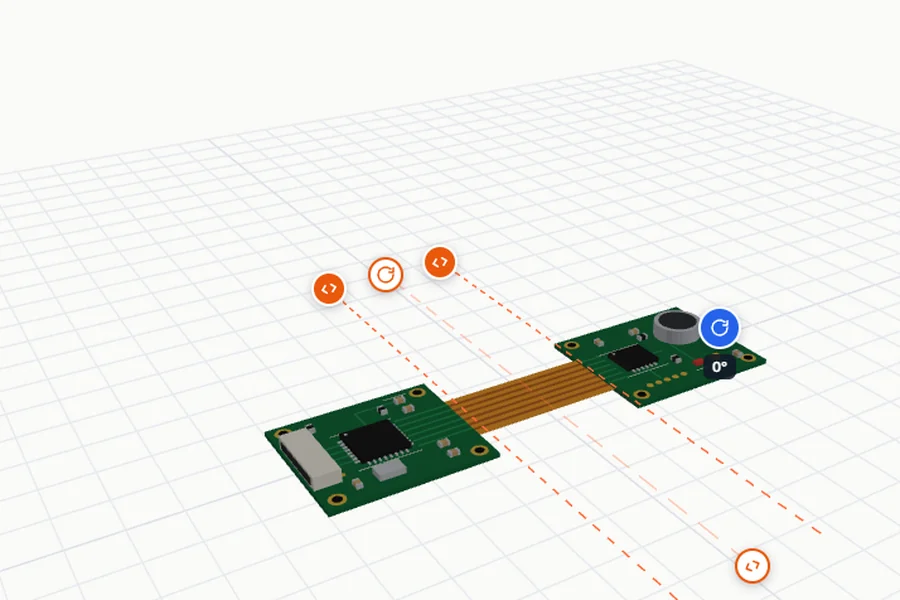
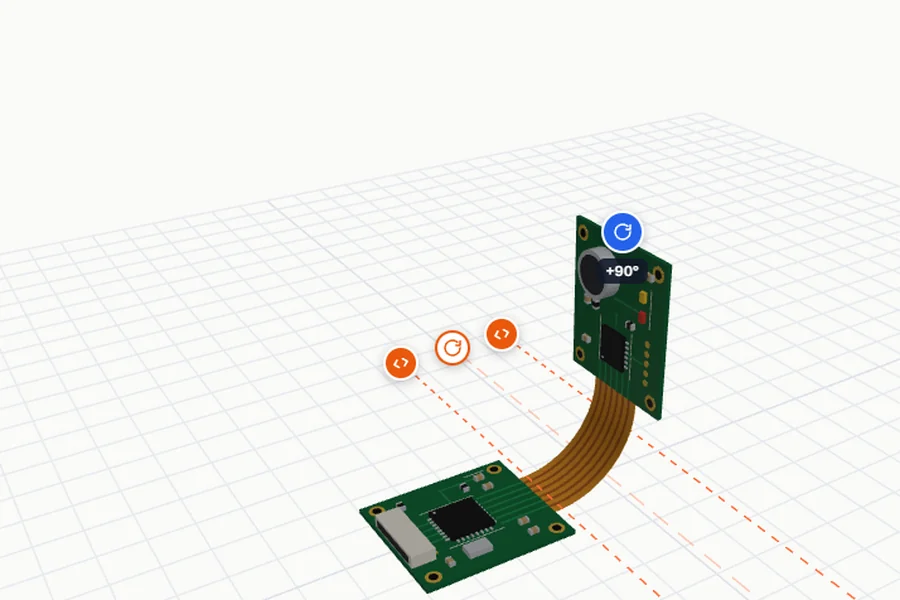
Step by step
- Export the board as STEP. KiCad: File → Export → STEP. Altium Designer: File → Export → STEP 3D. EasyEDA: Export → 3D Model.
- Open it. Drop the STEP file into BendAnySTL, or click Try a flex PCB.
- Put the bend zone on the flex section. Drag the two orange handles to the ends of the flex section.
- Set the angle. Drag the blue handle: 90° for a corner, 180° for a fold.
- Export. Choose STEP under Export options and insert the bent board into your enclosure CAD.
Tips
- More folds: click Apply bend, then bend the next section.
- Check the fit: load the enclosure under Reference. It shows as a see-through ghost.
- The bend radius is shown under Bend zone. Compare it with your manufacturer's minimum.
- Colours from the STEP file are kept.
Common questions
Why is my flex PCB flat in the 3D export? PCB programs model the board as a flat stack of layers.
Is my design uploaded? No. It is read and bent in your browser only.
More guides
How to bend an STL file onlineDrop the file, drag a handle, export.How to bend a STEP file onlineOpen STEP, bend it, save STEP again.How to fit a flat part to a curved surfaceBend a flat part so it follows another part.How to curve a flat lithophane STLMake a flat lithophane curved or fully round.How to roll a flat STL into a ring, bracelet or clipRoll a flat strip into a ring, bracelet or clip.How to wrap text or a logo around a cylinderCurve a flat nameplate, text or logo to fit a round part.How to bend a tube, pipe or rod 3D modelAdd an elbow to a tube or fold a plate into a bracket.