 BendAnySTL
How to bend a STEP file online
Bend a STEP file in your browser and export it as STEP again. No CAD needed.
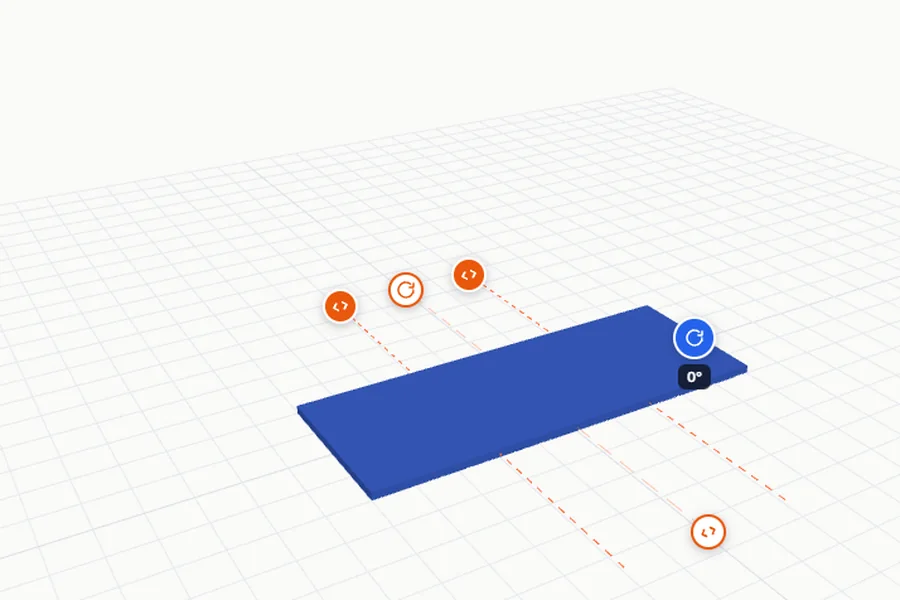
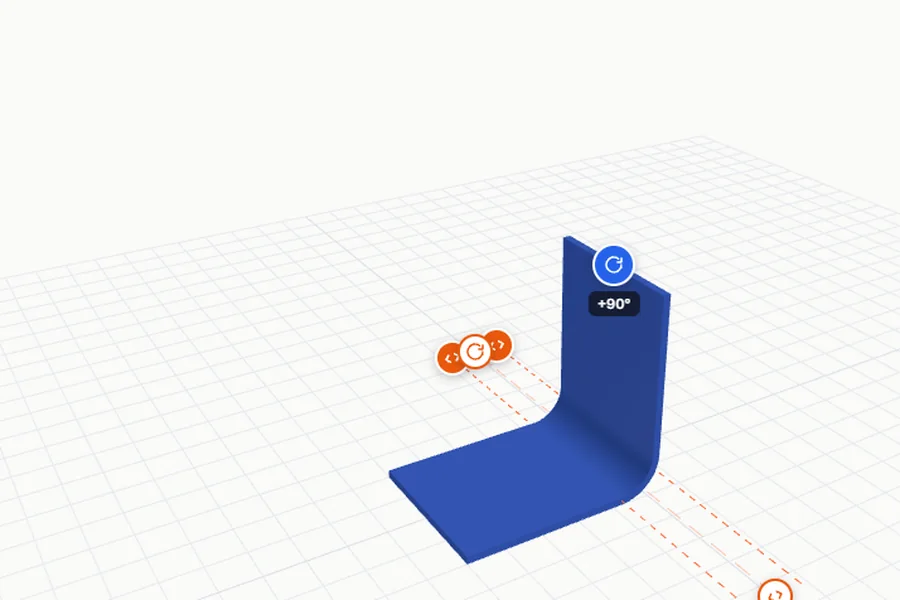
Step by step
- Drop the STEP file. Open BendAnySTL and drop in a .step or .stp file. The first one takes a few seconds.
- Bend it. Drag the blue handle. Move the orange handles to choose which part curves.
- Export as STEP. Open Export options, choose STEP and click Export.
Good to know
- The exported STEP is a faceted solid in millimetres. It opens in Fusion 360, FreeCAD, SolidWorks and Onshape.
- It is not parametric: the original features cannot be edited.
- Colours are kept.
- For very detailed models, STL or 3MF is lighter.
Common questions
Are units kept? Yes, millimetres in and out.
Is the file uploaded? No. It stays in your browser.
More guides
How to bend an STL file onlineDrop the file, drag a handle, export.How to bend a flex PCB 3D model to preview it as installedFold the flat STEP export of a flex board into its real shape.How to fit a flat part to a curved surfaceBend a flat part so it follows another part.How to curve a flat lithophane STLMake a flat lithophane curved or fully round.How to roll a flat STL into a ring, bracelet or clipRoll a flat strip into a ring, bracelet or clip.How to wrap text or a logo around a cylinderCurve a flat nameplate, text or logo to fit a round part.How to bend a tube, pipe or rod 3D modelAdd an elbow to a tube or fold a plate into a bracket.