 BendAnySTL
How to bend a tube, pipe or rod 3D model
Add an elbow to a straight tube, or fold a plate into an L or U bracket.
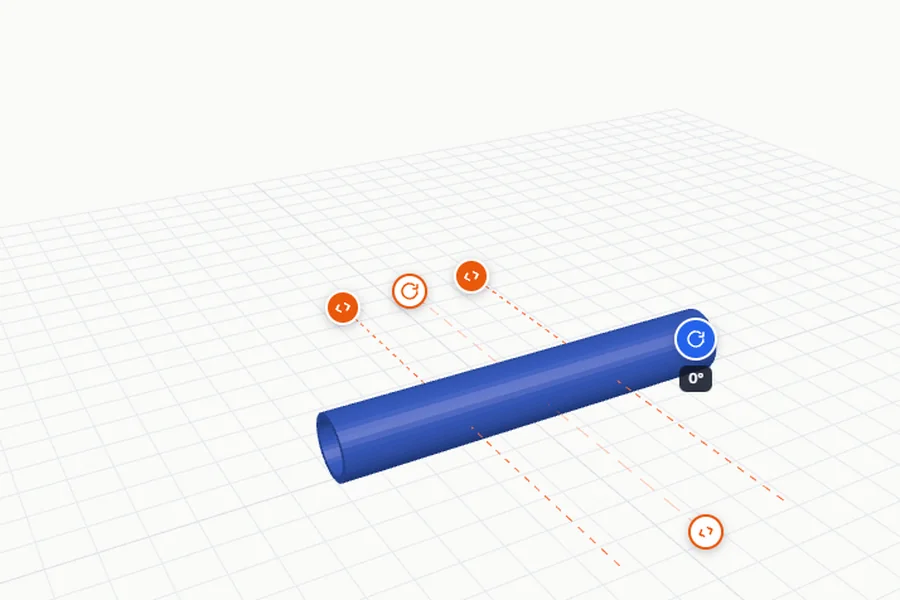
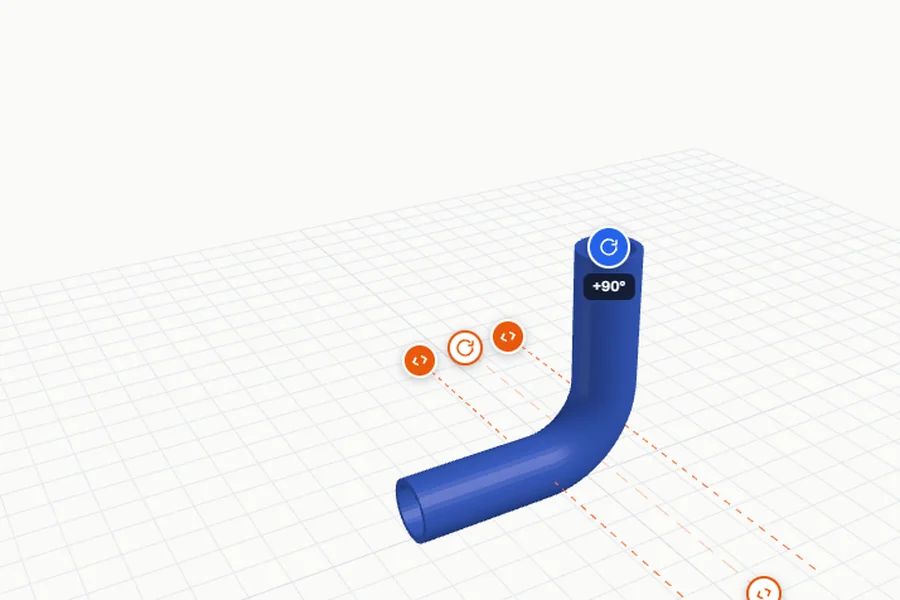
Step by step
- Load the model. Open BendAnySTL and drop in the file, or click Try a tube.
- Choose where it bends. Drag the orange handles, or click Start, Middle or End.
- Set the angle. Type 45, 90 or any angle.
- Export. Click Export.
Tips
- A narrow bend zone gives a tight elbow, a wide one a sweeping bend.
- Hollow tubes stay round and keep their wall thickness.
- U bracket: bend 90°, click Apply bend, bend 90° again.
Common questions
Can I bend in two directions? Yes. After Apply bend, change Direction.
What is the largest angle? 360° per bend.
More guides
How to bend an STL file onlineDrop the file, drag a handle, export.How to bend a flex PCB 3D model to preview it as installedFold the flat STEP export of a flex board into its real shape.How to bend a STEP file onlineOpen STEP, bend it, save STEP again.How to fit a flat part to a curved surfaceBend a flat part so it follows another part.How to curve a flat lithophane STLMake a flat lithophane curved or fully round.How to roll a flat STL into a ring, bracelet or clipRoll a flat strip into a ring, bracelet or clip.How to wrap text or a logo around a cylinderCurve a flat nameplate, text or logo to fit a round part.