 BendAnySTL
How to fit a flat part to a curved surface
Load the curved part as a reference and BendAnySTL bends your flat part to lie on it.
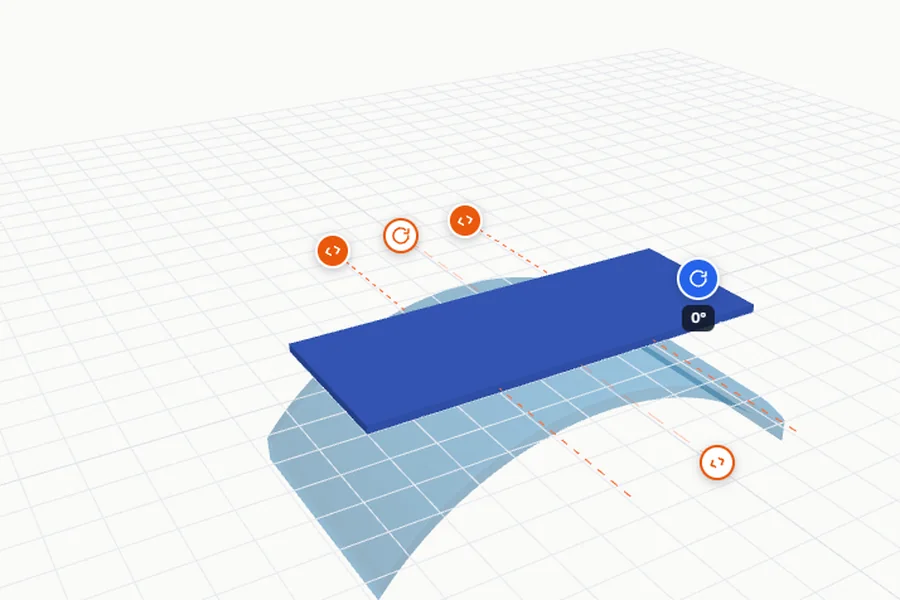

Step by step
- Load the flat part. Open BendAnySTL and drop in the flat STL or STEP.
- Load the curved part. Under Reference click Load reference….
- Place it under your part. Click Position and move the reference under your part.
- Fit. Click Fit to surface, then Export.
Good to know
- The part is bent, not stretched: holes stay the same distance apart.
- The reference is never exported.
- For a plain cylinder you can skip the reference: set Width to 100% and choose the angle.
Common questions
Can I undo the fit? Yes, press Ctrl+Z.
Can I see the reference better? Yes, use the Opacity slider.
More guides
How to bend an STL file onlineDrop the file, drag a handle, export.How to bend a flex PCB 3D model to preview it as installedFold the flat STEP export of a flex board into its real shape.How to bend a STEP file onlineOpen STEP, bend it, save STEP again.How to curve a flat lithophane STLMake a flat lithophane curved or fully round.How to roll a flat STL into a ring, bracelet or clipRoll a flat strip into a ring, bracelet or clip.How to wrap text or a logo around a cylinderCurve a flat nameplate, text or logo to fit a round part.How to bend a tube, pipe or rod 3D modelAdd an elbow to a tube or fold a plate into a bracket.